 09d57f1be4
* Add `data-testid` attributes to multiple components for improved testability and consistency. * Add `data-testid` attributes to multiple components for improved testability * Add `data-testid` attributes across components for improved testing support * Add `data-testid` attributes across components for improved testing support * Add `data-testid` attributes across components for improved testing support * Add `data-testid` attributes across components for improved testing support * fix deployment issue * fix deployment issue * Add `PromoCode` component to `CartReview` section (#288) - Introduced `PromoCode` component for handling promotional codes in the cart. - Updated `CartReview` to include the new component. - Improved formatting and ensured consistent use of single quotes across codebase. * Remove `CartPromotionCode` component and related logic, cleanup `Cart` section formatting, and ensure consistent use of single quotes. (#289) * remove orders without order_set key (#293) * Cart items amount chaning removed from checkout page (#292) * Bump medusa deps * Fix typing * Revert "Fix typing" This reverts commit |
||
|---|---|---|
| .storybook | ||
| public | ||
| src | ||
| .dockerignore | ||
| .env.template | ||
| .eslintrc.js | ||
| .gitignore | ||
| .prettierrc.js | ||
| algolia-config.json | ||
| Dockerfile | ||
| next.config.ts | ||
| package.json | ||
| postcss.config.mjs | ||
| README.md | ||
| tailwind.config.ts | ||
| tsconfig.json | ||
| yarn.lock | ||
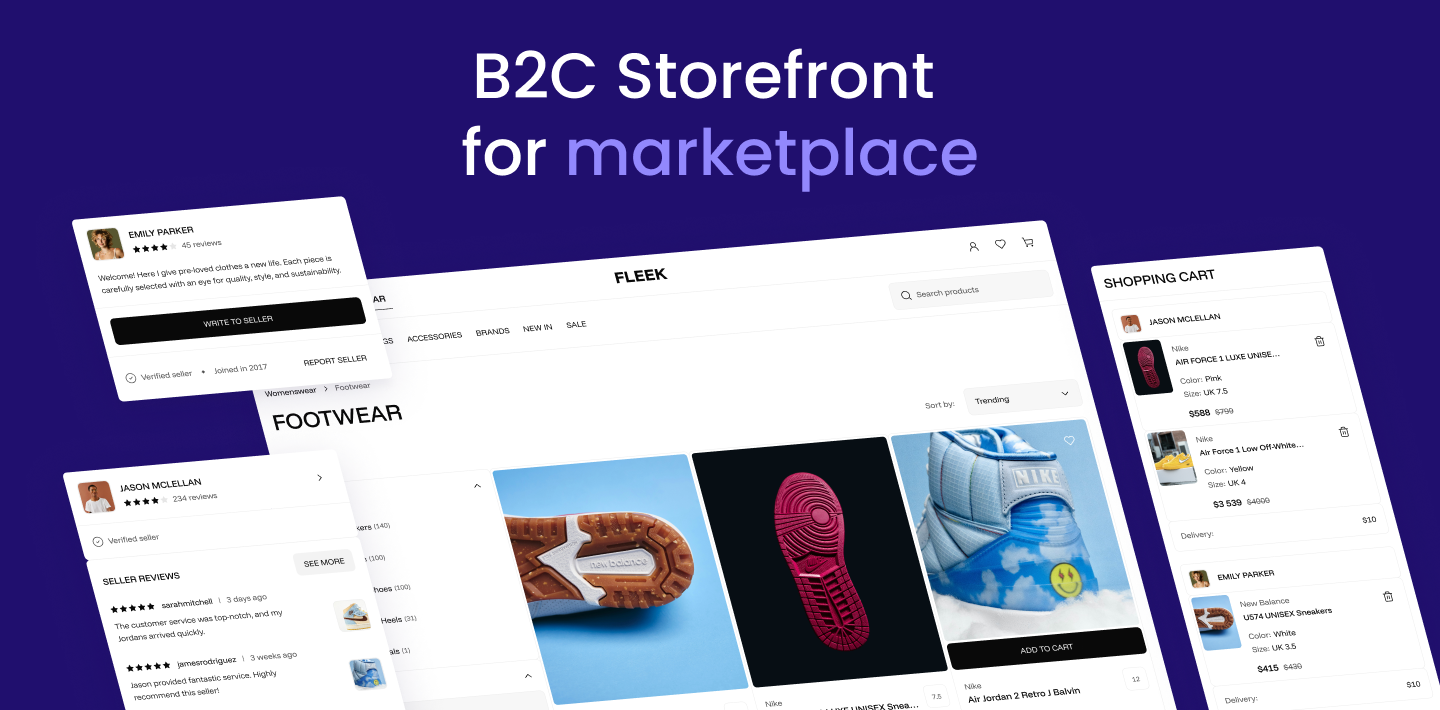
B2C Storefront
for Mercur - Open Source Marketplace Platform



🛍️ B2C Marketplace Storefront Demo · Mercur Website · 📃 Explore the docs
B2C Storefront for Marketplace
Customizable storefront designed for B2C with all elements including browsing and buying products across multiple vendors at once.
Ready to go:
- Home Page - 🛍️ Check demo
- Listing
- Product Page
- Shopping Cart
- Seller Page
- Selling Hub - Moved to external VendorPanel
- Wishlist
Part of Mercur
Mercur is an open source marketplace platform that allows you to create high-quality experiences for shoppers and vendors while having the most popular Open Source commerce platform MedusaJS as a foundation.
Mercur is a platform to start, customize, manage, and scale your marketplace for every business model with a modern technology stack.

Quickstart
Installation
Clone the repository
git clone https://github.com/mercurjs/b2c-marketplace-storefront.git
Go to directory
cd b2c-marketplace-storefront
Install dependencies
yarn install
Make a .env.local file and copy the code below
# API URL
MEDUSA_BACKEND_URL=http://localhost:9000
# Your publishable key generated in mercur admin panel
NEXT_PUBLIC_MEDUSA_PUBLISHABLE_KEY=
# Your public url
NEXT_PUBLIC_BASE_URL=http://localhost:3000
# Default region
NEXT_PUBLIC_DEFAULT_REGION=pl
# Stripe payment key. It can be random string, don't leave it empty.
NEXT_PUBLIC_STRIPE_KEY=supersecret
# Backend cookie secret
REVALIDATE_SECRET=supersecret
# Your site name in metadata
NEXT_PUBLIC_SITE_NAME="Fleek Marketplace"
# Your site description in metadata
NEXT_PUBLIC_SITE_DESCRIPTION="Fleek Markeplace"
# Algolia Application ID
NEXT_PUBLIC_ALGOLIA_ID=supersecret
# Algolia Search API Key
NEXT_PUBLIC_ALGOLIA_SEARCH_KEY=supersecret
#TalkJS APP ID
NEXT_PUBLIC_TALKJS_APP_ID=<your talkjs app id>
Start storefront
yarn dev
Guides
How to get Aloglia Keys
How to get TalkJs App ID
Configure Algolia index
To work Algolia correctly you need to configure facets and searchable attributes. You can use import function to upload algolia-config.json file
In Algolia dashboard chose your index and select Import configuration from Manage index dropdown menu

{
  "settings": {
    "minWordSizefor1Typo": 4,
    "minWordSizefor2Typos": 8,
    "hitsPerPage": 20,
    "maxValuesPerFacet": 100,
    "searchableAttributes": [
      "title",
      "subtitle",
      "brand.name",
      "tags.value",
      "type.value",
      "categories.name",
      "collection.title",
      "variants.title"
    ],
    "numericAttributesToIndex": null,
    "attributesToRetrieve": null,
    "unretrievableAttributes": null,
    "optionalWords": null,
    "attributesForFaceting": [
      "average_rating",
      "filterOnly(categories.id)",
      "categories.name",
      "seller.handle",
      "seller.store_status",
      "filterOnly(supported_countries)",
      "searchable(title)",
      "variants.color",
      "variants.condition",
      "variants.prices.currency_code",
      "variants.size"
    ],
    "attributesToSnippet": null,
    "attributesToHighlight": null,
    "paginationLimitedTo": 1000,
    "attributeForDistinct": null,
    "exactOnSingleWordQuery": "attribute",
    "ranking": [
      "typo",
      "geo",
      "words",
      "filters",
      "proximity",
      "attribute",
      "exact",
      "custom"
    ],
    "customRanking": null,
    "separatorsToIndex": "",
    "removeWordsIfNoResults": "none",
    "queryType": "prefixLast",
    "highlightPreTag": "<em>",
    "highlightPostTag": "</em>",
    "alternativesAsExact": ["ignorePlurals", "singleWordSynonym"],
    "renderingContent": {
      "facetOrdering": {
        "facets": {
          "order": ["variants.color", "variants.size", "variants.condition"]
        },
        "values": {
          "variants.color": {
            "sortRemainingBy": "count"
          },
          "variants.condition": {
            "sortRemainingBy": "count"
          },
          "variants.size": {
            "sortRemainingBy": "count"
          }
        }
      }
    }
  },
  "rules": [],
  "synonyms": []
}